
This fall, we’re expanding what Settle can do for your team—from finding the first signs of a buying opportunity to doing the work of responding.
We’re introducing Signals, a new product line that watches for the buyer activity that matters to your business. We’ve also completely redesigned the response workflow with Projects 3.0 and introduced Settle AI, a new way to work across Settle through conversation.
Here’s what’s new.
Introducing Signals
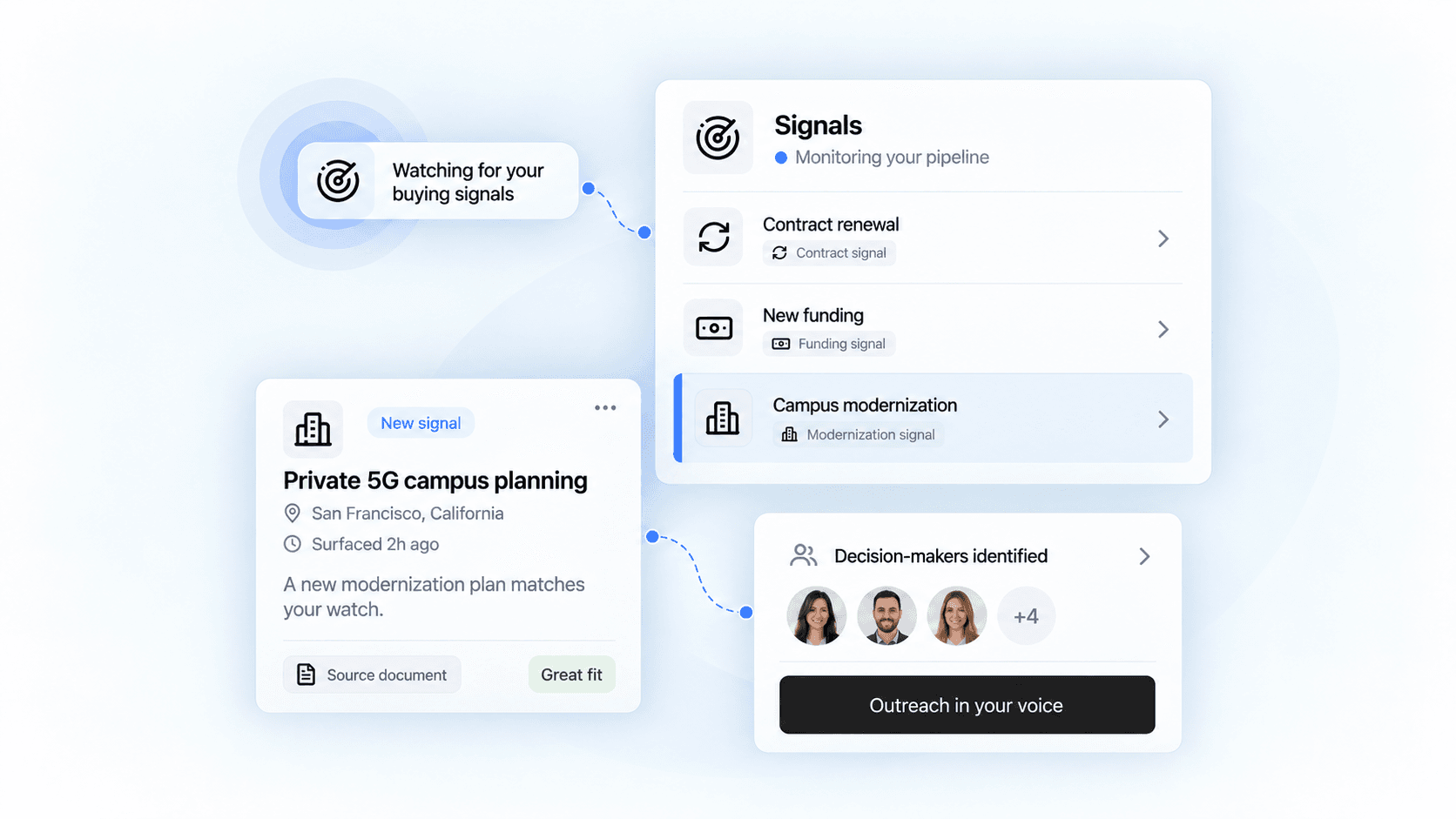
A budget gets approved. An incumbent contract approaches its end. A prospect starts planning a new initiative. Those developments can tell you where to focus long before an RFP is published.
Signals is a new product from Settle that finds those moments and helps your team act on them. It brings together buying activity from budgets, contracts, procurement forecasts, board meetings, grants, hiring, and other sources, with evidence you can check for yourself.
Tell Settle what to watch for
The best buying signals depend on what you sell. With custom watches, you can describe the developments that matter to your business in plain English. Settle keeps watching in the background and surfaces relevant changes.
For a connectivity team, that might mean organizations planning private 5G networks or replacing legacy phone lines. For your team, it can be the specific initiative, operational change, or need that makes a prospect worth reaching out to.
Keep up with the prospects in your pipeline
Track an account and Settle keeps researching the developments you care about. See what has changed, get useful context for your next conversation, and identify the people involved in the buying decision.
You can also rank accounts using your own criteria. Describe your ideal prospect once, then refine what matters most: a funded initiative, a contract renewal, the right operational needs, or another sign of fit. Settle uses ongoing research and supporting evidence to help prioritize the accounts your team is working.
Turn a signal into action
Signals helps carry the work forward. Settle can find key contacts and prepare personalized outreach in your voice. With your tools connected, you can review and schedule the outreach, then let Settle and those tools handle the sending.
Stakeholder maps help you understand who you need to reach. Connected CRM activity gives you the context of your team’s existing relationship, so the next conversation can build on the last one.
You can receive new Signals through email or Slack digests, too. And if important context lives in your own systems, custom integrations can bring your organization’s data sources into Signals. Integration setup is required.
Interested in adding Signals to your account? Reach out to our team.
Projects 3.0
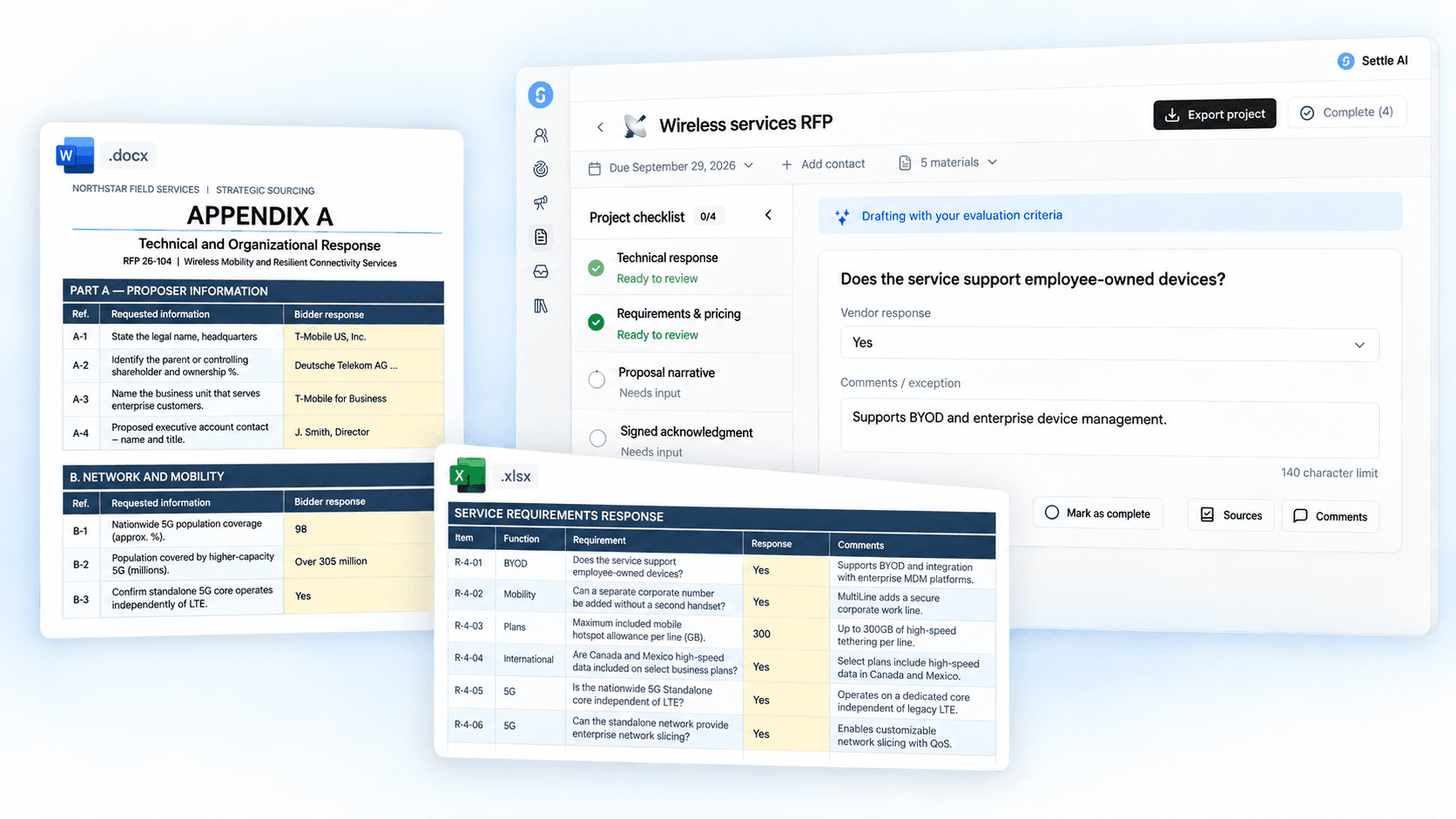
Projects 3.0 is a complete redesign of how work gets done in Settle. Upload your project documents and Settle spins up a virtual computer to work with the files on your behalf.
It reads the package, develops a strategy, and organizes the work into a project workspace. Questionnaires, narrative responses, required attachments, and the actions your team needs to take all have a place in the plan.
Draft with the buyer’s requirements in view
Your response should reflect how the buyer will evaluate it. Projects 3.0 brings evaluation criteria, scoring rubrics, requirements, and response limits into the drafting context.
In our wireless-services example, Settle pulls in the evaluation rubric, the narrative page limit, and instructions from an addendum. Those details become guidance for the response alongside your company’s knowledge and the priorities you add.
Work in the format the questions require
Settle builds the response workspace around the questions in your documents. If a spreadsheet asks for several parts to an answer, offers dropdown choices, or sets a word limit, that context comes into the workspace with the question.
Your team can focus on the answer while keeping the buyer’s requested structure in view. The project checklist also tracks the work that still needs your input, such as pricing decisions or a signed acknowledgment.
Export answers into the original files
One of the biggest changes in Projects 3.0 is original-format export. Where supported, Settle puts your answers back into the original response documents, including complex Word and Excel files.
That means less time moving answers between tools and rebuilding the buyer’s formatting before you submit.
And if you find an opportunity in RFP Hunter, you can start the response workflow with one click. Bring the RFP and its documents straight into Projects 3.0 to develop your strategy and begin the response.
Settle AI
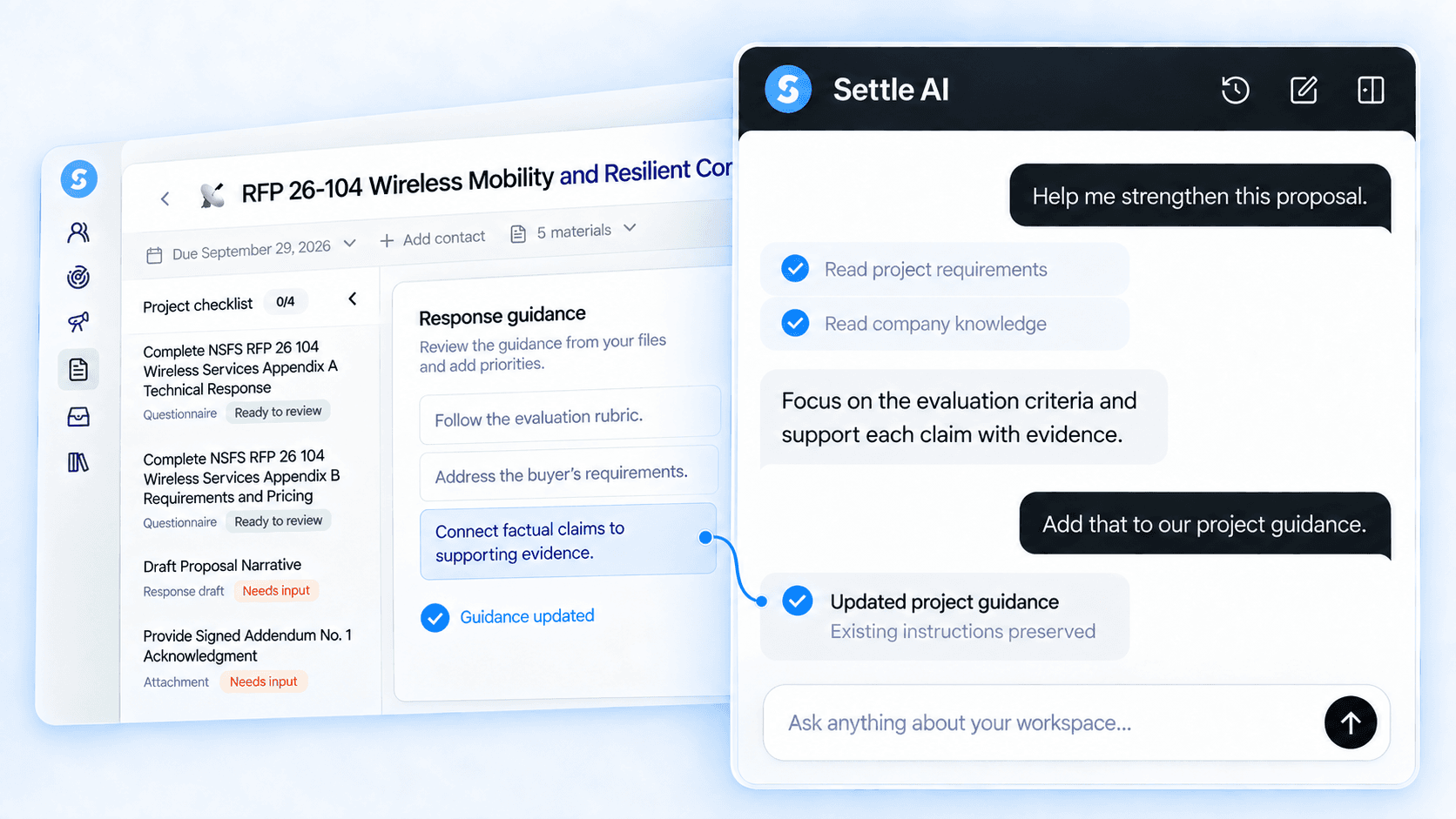
Settle AI is a new way to experience Settle. It brings the context in your workspace into a conversation and can take actions for you.
Ask what your team should focus on, work through a proposal, or direct a change to a response. Settle AI can use your projects, buyer intelligence, Signals, and company knowledge to help you move the work forward. It can also update responses and project guidance, work with tracked accounts, and help manage reusable knowledge.
For example, you can ask it to identify the priorities for a proposal using the project requirements and your company context, then turn that discussion into clearer drafting guidance.
In beta: more places to use Settle
We’re also testing two ways to bring Settle into the tools where you already work:
- The RFP browser extension helps with portal-based responses by identifying questions, drafting from company knowledge, and inserting answers into supported fields.
- Settle AI in ChatGPT and Claude brings your Settle context and action-taking capabilities into those assistants.
Interested in testing either beta? Let us know.
New resources for public-sector teams
We’ve added practical guides and templates for account prioritization, stakeholder mapping, pilot planning, RFIs, and public-sector sales execution. Explore the public-sector sales library for material you can put to work with your team.
We’d love to hear what you’re trying and what you’d like Settle to take on next. Get in touch, whether you want to add Signals, join a beta, or talk through the new project workflow.